Passcode Recovery
OTP credentials must never be exposed externally.
- Therefore, they are stored in an encrypted format.
- For example, in a Windows environment, they are saved in a protected area secured by the Windows OS account—stored in a random or unpredictable location.
- On devices with TPM (Trusted Platform Module), the credentials are additionally protected by TPM.
This document explains how to bypass the Passcode using your Windows account.
If this feature is not enabled and the Passcode is forgotten, the only option is to perform a factory reset, which deletes all OTP credentials.
Please enable Use Account Authentication as shown below:
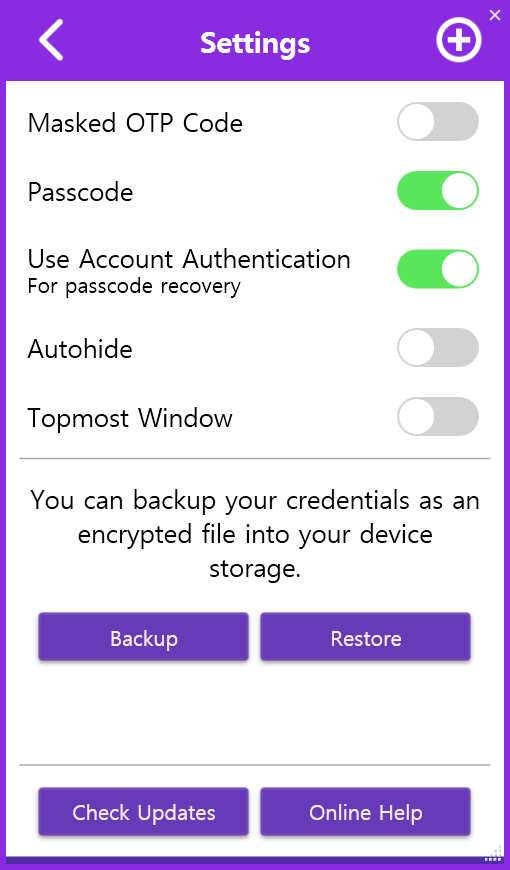
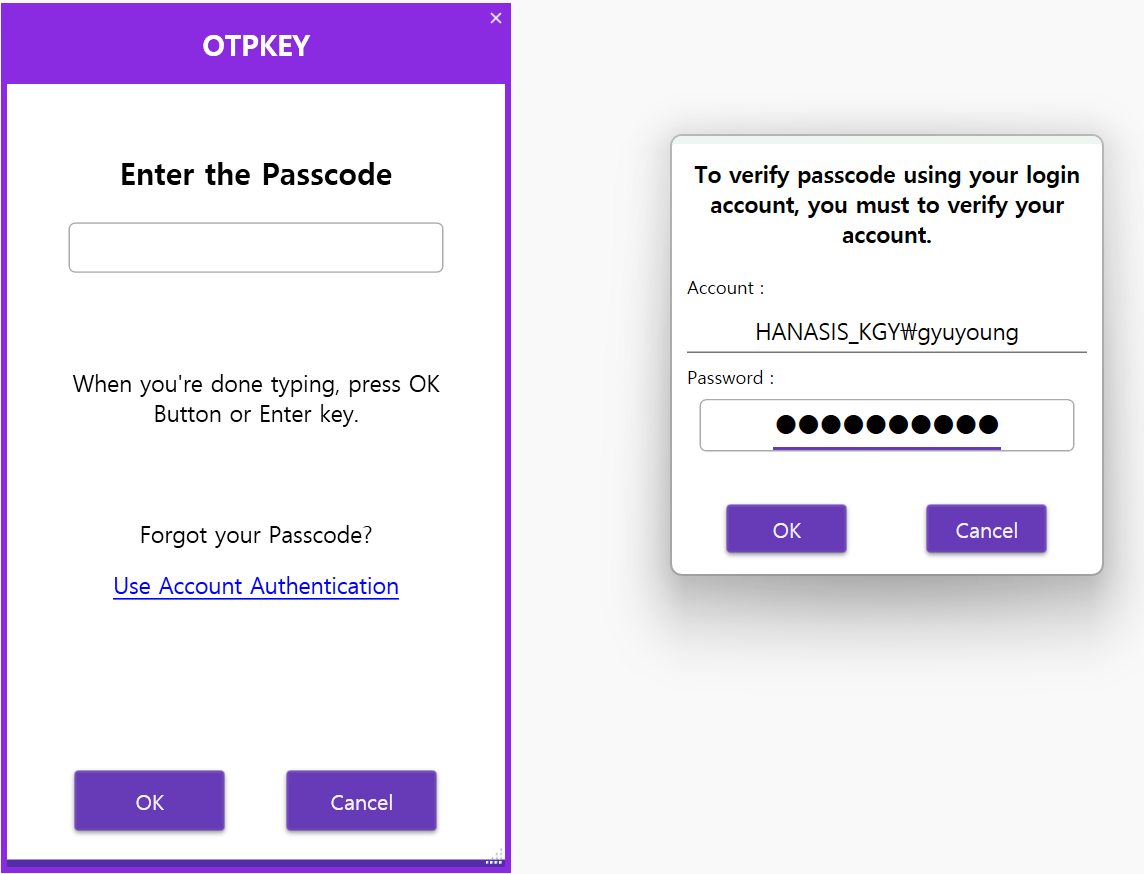
When this feature is enabled, you can bypass the Passcode using your Windows user account to access the OTP credentials:

Alternatively, the Backup and Restore features are also useful.